
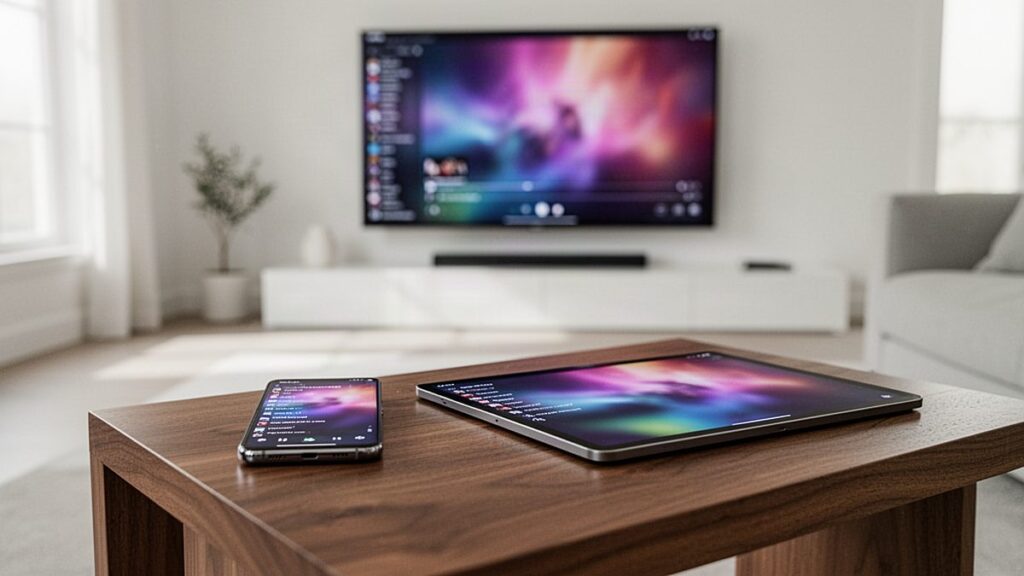
The best IPTV app is the one designed for the screen you already own. On Android TV and Fire TV devices, TiViMate is the strongest choice for live television, while IPTV Smarters Pro suits people who mainly watch films and series. On Samsung and LG televisions, IBO Player, Smart IPTV or Flix IPTV do the job, and on Apple devices GSE Smart IPTV is a sensible pick. None of these players sells channels: each one remains an empty window until you add a subscription login.
In brief: choose your device first and the application second. For a television you use every day, TiViMate on Android TV is difficult to beat. For a Samsung or LG set, install a player from the television’s own app store. Most players are free or cost a few euros once, and your TiviBridge login works in all of them, so you can switch at any time without losing anything.
What an IPTV app actually does
An IPTV app is a media player that reads a playlist or login from your provider and turns it into a channel list, a programme guide and a film library. It contains no channels of its own. A useful comparison is a web browser, which costs nothing to install but depends entirely on the websites you visit.
This distinction matters for two practical reasons. First, an application that advertises “free channels” is not being honest with you, and the reputable developers state clearly that they supply no content. Second, the player is the part you interact with every evening, so a clumsy guide or slow channel switching will irritate you far more than a small price difference between providers.
Your subscription usually arrives in one of three formats. An M3U link is a single web address listing every channel, while Xtream Codes details consist of a server address, username and password. A MAG portal is a server address connected to your device’s MAC address. Most applications accept the first two formats, but only a few accept portals. Our guides to M3U playlist setup and Xtream Codes logins explain each format in plain terms.
Choose by device before you choose by features
Your television or streaming device determines which applications are even possible. Android software will not run on a Samsung television, and Apple’s store excludes many players you see recommended online. It therefore makes sense to start with the hardware and then compare the options that remain.
- Android TV and Google TV (Philips, Sony, TCL, Xiaomi, Nvidia Shield, Formuler): the widest selection, since TiViMate, IPTV Smarters Pro, OTT Navigator, Kodi and VLC all run here.
- Fire TV Stick on Fire OS: the same Android applications, installed through the Downloader app because Amazon’s store lists very few IPTV players. Newer sticks running Vega OS do not permit outside applications at all.
- Samsung (Tizen) and LG (webOS): players from the television’s own store, including IBO Player, Smart IPTV, SS IPTV, Flix IPTV and Duplecast.
- Apple TV, iPhone and iPad: GSE Smart IPTV, VLC and a small number of other App Store players.
- Windows PC and Mac: VLC or Kodi, both of which are free.
Operator equipment is a separate category. The receivers you rent from MagentaTV, Ziggo, KPN, Proximus, Telenet, Polsat Box or Canal+ run closed software, so you cannot install any independent IPTV application on them.
Comparison table: the eleven apps side by side
The prices below are approximate and shown in euros. Developers adjust them periodically, and several charge separately for each device, so always check the developer’s own page before paying.
| App | Platforms | Price (approx.) | EPG | Recording | Best for |
|---|---|---|---|---|---|
| IPTV Smarters Pro | Android, Fire TV, iOS, Windows, some TVs | Free; paid versions on some platforms | Yes | Limited, depends on version | Films and series libraries |
| TiViMate | Android TV, Fire TV | Free basic; Premium about €8–10 a year or about €30 lifetime | Yes, excellent | Yes (Premium) | Live TV and sport |
| IBO Player | Samsung, LG, Android, Fire TV, others | Trial, then about €8–12 per device | Yes | No | Samsung and LG owners |
| Smart IPTV | Samsung, LG, Android | About €5.50 once per device | Yes | No | Simple M3U viewing on a TV |
| SS IPTV | Samsung, LG | Free | Yes | No | Trying IPTV at no cost |
| Flix IPTV | Samsung, LG, Android, Apple | Trial, then about €8 per device | Yes | No | A modern look on smart TVs |
| Duplecast | Samsung, LG, Android TV, Apple | Trial, then a one-off fee of around €10 | Yes | No | Clean layout, Xtream logins |
| GSE Smart IPTV | iPhone, iPad, Apple TV, Android | Free with optional in-app purchases | Yes | Yes on iOS | Apple households |
| VLC | Windows, Mac, Linux, Android, iOS | Free | No proper guide | Basic, on desktop | Testing a playlist quickly |
| OTT Navigator | Android, Android TV, Fire TV | Free; Premium a few euros a year | Yes | Yes (Premium) | Users who like to customise |
| Kodi + PVR IPTV Simple Client | Windows, Mac, Linux, Android, Apple TV (sideloaded) | Free | Yes | Needs extra setup | Enthusiasts and home-cinema PCs |
“EPG” stands for electronic programme guide, the grid showing what is on now and next. “Recording” means saving a programme to internal or USB storage. Neither feature functions unless your provider supplies guide information and the stream itself permits it.
TiViMate: the best IPTV player for live TV
TiViMate is the application most people eventually settle on after experimenting with several alternatives. It looks and behaves much like a traditional cable receiver, with a proper grid guide, quick channel changes and a favourites list you can build in seconds. For anyone who mainly watches live television and football, it is the most comfortable everyday player.
The free version lets you add one playlist and browse the guide, while Premium unlocks recording, catch-up, multiple playlists and additional layout options. The developer sells Premium through its own companion application, and a single purchase covers several devices. The only genuine limitation is the platform, because TiViMate runs on Android TV and Fire TV but not on Samsung, LG or Apple equipment.
If your subscription combines a German, Austrian or Polish channel pack with international channels, TiViMate’s groups and hidden categories keep the list organised. Our step-by-step TiViMate setup guide covers adding a login and loading the programme guide.
IPTV Smarters Pro: the easy all-rounder
IPTV Smarters Pro is frequently the first application new users install. Its home screen divides content into Live TV, Films and Series, which makes extensive on-demand libraries straightforward to browse. It accepts both M3U links and Xtream Codes logins, and it is available on more platforms than most competitors.
Its live guide is less refined than TiViMate’s, and channel switching can feel slower on older streaming sticks. Recording exists in certain versions but is not a particular strength. Nevertheless, for a household that spends its evenings on series and films, the layout is friendly and quick to learn.
One caution applies here: several copies with similar names appear in application stores, so install the version linked from the developer’s official website. The IPTV Smarters Pro guide explains where to find the genuine version on each device.
IPTV Smarters Pro vs TiViMate
Anyone with an Android TV or Fire TV device eventually faces this comparison. The short answer is TiViMate for live channels and Smarters for on-demand content, and many people simply install both, using the same subscription in each.
| Feature | TiViMate | IPTV Smarters Pro |
|---|---|---|
| Live TV guide | Full grid, cable-box style | Simpler list with now and next |
| Films and series | Basic browsing | Strong, poster-style library |
| Recording | Yes, with Premium | Limited |
| Platforms | Android TV and Fire TV only | Android, Fire TV, iOS, Windows and more |
| Cost | Free basic, paid Premium | Free on most platforms |
| Learning curve | Short, if you have used a TV box | Very short |
Remember that your subscription limits how many screens can play simultaneously, not how many applications you install. Running TiViMate on the living-room box and Smarters on a phone at the same moment counts as two screens.
Would you like to see how a player feels with real channels before paying? Start a 24-hour TiviBridge free trial, with no card required, and load it into two applications side by side. When you are ready, the euro plans on our pricing page begin at €12 for one month, with no contract and nothing that renews automatically.
Best IPTV apps for Samsung and LG TVs
Samsung and LG televisions are particularly common in German, Austrian and Dutch living rooms. Because they run their own operating systems, the selection is narrower. The five players below are all available from the television’s built-in store, and most charge a modest fee per television after a free trial period.
IBO Player
IBO Player is widely used on both brands. You activate it on the developer’s website using the MAC address displayed on screen, then upload your playlist through the same website. It handles Xtream logins and M3U links, and its guide is clearly presented. The fee applies per device, so a second television requires a separate activation.
Smart IPTV
Smart IPTV is one of the oldest television players available. Its appearance is plain and somewhat dated, although it is dependable. You pay once per television and upload an M3U link through the developer’s website, which suits people who want a simple channel list and nothing more elaborate. Our Smart IPTV setup guide walks through the upload procedure.
SS IPTV
SS IPTV is free and has existed for many years. It reads M3U playlists and supports external guide information, although its interface is basic and film libraries are awkward to navigate. As a no-cost method of checking whether IPTV works on your television, it is perfectly adequate.
Flix IPTV
Flix IPTV offers a more contemporary appearance than Smart IPTV and presents films and series more effectively. Activation follows the same process as IBO Player, using a MAC address on the developer’s website, and a one-off fee applies to each device once the trial ends.
Duplecast
Duplecast is a newer player with a clean, uncluttered design. It works reliably with Xtream Codes logins and loads substantial channel lists without much delay. Like most television players, it offers a trial period followed by a one-off payment per device.
For brand-specific instructions, consult the Samsung Smart TV guide and the LG webOS guide. If your television is more than six or seven years old, an inexpensive streaming stick running TiViMate often performs better than any built-in player.
Best IPTV apps for Apple TV, iPhone and iPad
Apple’s App Store applies stricter rules than Google Play, and IPTV players appear and disappear regularly. GSE Smart IPTV has been available for many years and remains a practical choice, supporting M3U and Xtream logins, reading guide information and offering recording on iPhone and iPad. The interface is crowded, but everything you need is present.
VLC also runs on Apple TV and iOS and will play a single M3U link. Because it lacks a proper programme guide, it is better suited to checking a stream than to everyday viewing. Our Apple TV and iPhone setup guide lists the steps for each device.
Best IPTV apps for PC, Mac and enthusiasts
VLC
VLC from VideoLAN is free, open-source software. Paste an M3U link into “Open Network Stream” and the channel list appears as an ordinary playlist, although there is no guide grid and no favourites screen. It is the quickest way to confirm that a link works, and a useful fallback on a laptop.
Kodi with PVR IPTV Simple Client
Kodi is a free media centre that does not handle IPTV logins by itself. You add the official PVR IPTV Simple Client, enter your M3U link and guide address, and Kodi then builds a complete television section with a grid guide. The Kodi wiki page for the add-on documents every available setting.
Kodi is powerful but requires time to configure, and recording needs a separate back-end. Keep to official add-ons from the Kodi repository. Third-party “builds” claiming to unlock paid channels are precisely what European courts have ruled against, as our article on whether IPTV is legal in Europe explains in detail.
OTT Navigator
OTT Navigator runs on Android phones, tablets and television boxes, and it offers an enormous number of settings: guide layouts, catch-up handling, playback engines and, with Premium, recording. If you enjoy adjusting an application to your preferences, it rewards the effort. If you would rather have something that simply works, TiViMate is considerably easier.
Which IPTV app is best for TV?
For a television you use daily, the best IPTV app for TV is TiViMate on an Android TV box or Fire TV stick. On a Samsung or LG television without an additional device, IBO Player or Flix IPTV provide the best balance of features and simplicity. Choose Smart IPTV or SS IPTV if you only need a basic channel list.
Here is a quick way to decide:
- Mostly live channels and sport? TiViMate on Android TV or Fire TV.
- Mostly films and series? IPTV Smarters Pro, or Flix IPTV on a smart television.
- Samsung or LG, no additional box? IBO Player, Flix IPTV or Duplecast.
- Apple household? GSE Smart IPTV.
- Laptop or testing only? VLC.
- Enjoy experimenting with settings? Kodi or OTT Navigator.
If you are still choosing hardware, our guide to the best IPTV box for European homes compares Fire TV, Google TV, Shield, Formuler and MAG devices.
Are free IPTV apps safe?
Free players from official stores are generally safe to install, because the risk usually lies elsewhere. Some applications and APK files distributed outside official stores arrive bundled with channel lists that nobody has licensed. Others request unnecessary permissions or display intrusive advertising.
A few simple precautions help considerably:
- Install from Google Play, the Samsung or LG store, the App Store, or the developer’s own website.
- Avoid any application whose description promises free premium sport or film channels.
- Be cautious about “modified” or “cracked” versions of paid applications, and pay the few euros for the genuine version.
- Never enter bank details inside a player, since activation payments should happen on the developer’s official website.
The application is only half the picture, because the subscription behind it matters equally. Our guide to choosing an IPTV provider in Europe lists the questions worth asking before you pay anyone.
Getting the most from whichever app you pick
A few settings make a genuine difference in any player. They take only minutes to adjust and resolve most early complaints.
Load the guide properly
Most providers supply guide information through the same login. If the grid remains empty, open the application’s EPG settings and trigger a manual update. Restrict the guide to the countries you actually watch, because loading every country simultaneously slows inexpensive sticks noticeably.
Hide what you never watch
A subscription with 25,000+ channels involves considerable scrolling, so hide the groups you never use. If you live in Vienna and mainly follow ORF and German sport, you probably do not need forty other countries cluttering the first screen.
Pick the right decoder
Players usually offer both hardware and software decoding. Hardware decoding is typically smoother on television boxes, but if a channel produces sound without a picture, switch the decoder for that channel and try again.
Use a wired connection for sport
Wi-Fi is the most frequent cause of stuttering during live football, and an Ethernet cable or powerline adapter usually resolves it. Our guide to fixing IPTV buffering covers the complete checklist.
Where TiviBridge fits in
TiviBridge is the subscription rather than the player. One login carries German, Austrian, Polish, Dutch and Belgian channel packs alongside international ones, and it works in every application in the table above that accepts M3U or Xtream Codes, as well as on MAG-type boxes through a portal.
After you order, activation takes under 15 minutes. If an application rejects the login or the guide stays blank, message our team on WhatsApp at any hour and we will tell you which setting to change. You can review the channel line-up by country beforehand, and our setup hub for every device includes a guide for each platform mentioned here.
Whichever player you choose, evaluate it over several evenings before committing. Watch a live match, browse the film library and check the programme guide. The application you still appreciate after a week is the right one for your household.
Frequently asked questions
Which IPTV app is best for TV?
For an Android TV box or Fire TV Stick, TiViMate is the best IPTV app for live channels thanks to its grid guide and quick switching. On Samsung and LG televisions, IBO Player, Flix IPTV or Duplecast from the TV's own store work well. Apple TV owners usually pick GSE Smart IPTV. Choose by device first, then by features.
Is IPTV Smarters Pro or TiViMate better?
TiViMate is better for live television and sport, with a cable-box style guide and recording in its Premium version. IPTV Smarters Pro is better for browsing films and series and runs on more platforms, including iPhone and Windows. Both accept the same subscription login, so many people install both and use each for what it does best.
Do IPTV apps include channels?
No. IPTV apps are players, not services. They arrive empty and show only what your subscription provides through an M3U link, Xtream Codes login or portal. Any app promising free premium channels should be avoided, as the content is almost certainly unlicensed. The app shows the picture, while the subscription supplies the channels and guide data.
Is there a free IPTV player that works well?
Yes. IPTV Smarters Pro, SS IPTV, VLC and Kodi with the PVR IPTV Simple Client are free, and TiViMate has a free basic version. Free players from official stores are generally safe. Several smart TV players, such as IBO Player and Flix IPTV, offer a trial and then charge a small one-off fee per device.
Which IPTV app works on Samsung and LG TVs?
Samsung and LG televisions cannot run Android apps, so you need a player from the TV's own store. IBO Player, Smart IPTV, SS IPTV, Flix IPTV and Duplecast are the common choices. Most use the TV's MAC address for activation on the developer's website. On older sets, an inexpensive streaming stick often performs better.
Can I use one IPTV subscription in several apps?
Yes. The same login works in any compatible player, and you can switch apps whenever you like. What your plan limits is the number of screens playing at the same moment. Watching on TiViMate in the living room and Smarters on a phone together counts as two screens, so choose a plan that matches your household.
Ready to watch 25,000+ channels?
Order on WhatsApp and get your login in under 15 minutes. 7-day money-back guarantee.
Related articles
VPN for IPTV in Europe: When It Helps and When It Hurts
A VPN can steady IPTV on a throttled or public network, but it is not a legal shield and it can cost…
September 20, 2026IPTV Buffering: How to Stop Freezing and Lag at Home
Most IPTV buffering starts inside the home, not at the provider. Use our symptom table to find the cause, compare Wi-Fi, Ethernet…
September 5, 2026Best IPTV Box 2026: Streaming Devices Compared for Europe
Which streaming device should run your IPTV? We compare Fire TV Sticks, Google TV, Nvidia Shield, Formuler, MAG, BuzzTV, Xiaomi and Apple…