
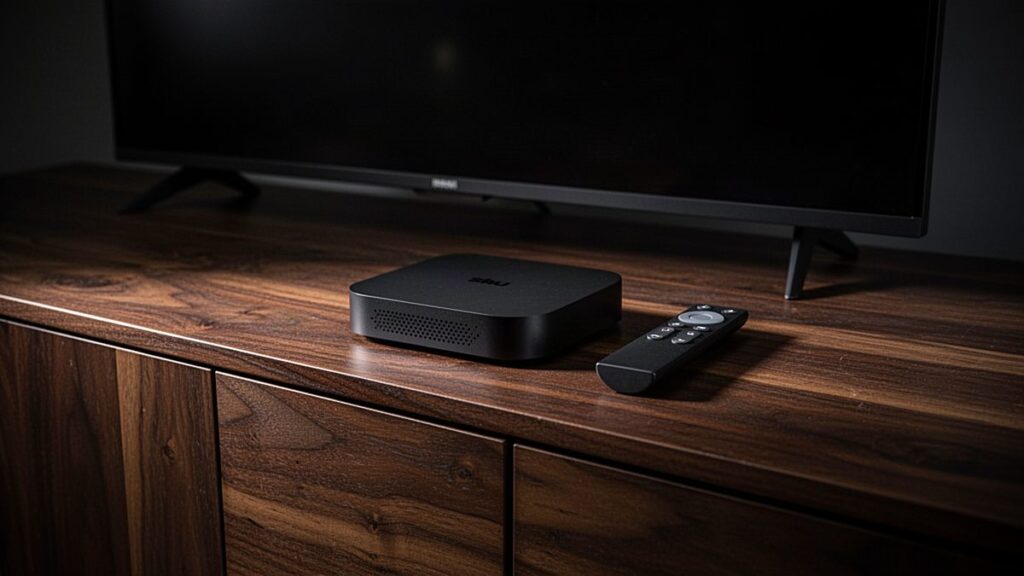
The best IPTV box for most European homes is a Fire TV Stick 4K Max or a Google TV Streamer, because both run the principal IPTV applications and cost well under €130. The Nvidia Shield TV is the best Android TV box for IPTV in 2026 if you want speed and a wired connection. Choose Apple TV 4K for Apple households and a Formuler or MAG box for portal-based subscriptions. Any box is simply hardware, and it needs a player application and a subscription before it shows a single channel.
In brief: spend around €60–80 for a capable stick, or €130–220 for a box with Ethernet and additional processing power. Prefer devices that install applications from an official store, and avoid anything advertised as “fully loaded”. Operator receivers from MagentaTV, Ziggo, KPN, Proximus, Telenet or Polsat Box cannot run independent IPTV applications at all.
What makes a good IPTV box
A good IPTV box does four things well. It runs a capable player such as TiViMate or IPTV Smarters Pro, decodes modern video formats in hardware, remains responsive with an extensive channel list and, ideally, connects by cable rather than relying on Wi-Fi.
Here is what to check before buying:
- Operating system. Android TV, Google TV and Fire OS support the widest range of players, Apple tvOS supports fewer, and Linux-based MAG boxes use a portal instead of applications.
- Video codecs. Support for H.264 and H.265 (HEVC) is essential, since most 4K streams use HEVC.
- Memory. 2 GB of RAM is the practical minimum, because large programme guides covering many countries slow down weaker devices.
- Network. An Ethernet port is worth more for live sport than any other feature, although Wi-Fi 6 helps where no cable can reach.
- Updates. Established manufacturers deliver security and application updates for years, whereas unbranded boxes rarely do.
Resolution matters less than many people assume. A 4K box only helps if your television is 4K and the channel is actually broadcast in 4K. Our page on 4K IPTV channels and requirements explains what you genuinely need.
Best IPTV box comparison
Prices below are in euros and approximate, and they vary by retailer. They also change frequently, particularly around seasonal sales, so compare current prices at retailers in your own country.
| Device | System | Price (approximate, varies by retailer) | Ethernet | Main IPTV apps | Best for |
|---|---|---|---|---|---|
| Fire TV Stick 4K | Fire OS | €50–70 | Adapter needed | TiViMate, Smarters (via Downloader) | Low-cost 4K |
| Fire TV Stick 4K Max | Fire OS | €60–80 | Adapter needed | TiViMate, Smarters (via Downloader) | Best value overall |
| Chromecast with Google TV (4K) | Google TV | €50–70 while stock lasts | Adapter needed | TiViMate, Smarters, OTT Navigator | Play Store simplicity |
| Google TV Streamer | Google TV | €110–120 | Yes | TiViMate, Smarters, OTT Navigator | Wired Google TV |
| Nvidia Shield TV / Shield TV Pro | Android TV | €150–220 | Yes | All Android players, Kodi | Power users and sport |
| Formuler Z11 Pro Max | Android TV | €130–170 | Yes | MyTVOnline 3, TiViMate, portals | Dedicated IPTV use |
| MAG 524 | Linux (Infomir) | €70–100 | Yes | Built-in portal | Portal subscriptions, older users |
| BuzzTV (e.g. X5, P5) | Android | €150–250 | Yes | BuzzTV player, Android apps | Guide-first IPTV use |
| Xiaomi Mi Box S / Mi TV Stick 4K | Android TV / Google TV | €40–70 | No | TiViMate, Smarters | Tight budgets |
| Apple TV 4K | tvOS | €170–190 | Yes (128 GB model) | GSE Smart IPTV, App Store players | Apple households, picture quality |
Fire TV Stick 4K and Fire TV Stick 4K Max
The Fire TV Stick is the most common streaming device in German and Austrian homes, and the reasons are obvious: it is inexpensive, compact and sufficiently fast for IPTV. The 4K Max adds Wi-Fi 6E, additional storage and a quicker processor, which helps considerably with large programme guides.
Amazon’s store lists very few IPTV players, so you install them with the Downloader application after allowing apps from unknown sources in the developer options. This is a standard Android procedure, and our Fire TV Stick setup guide covers each step.
One important warning applies. Some newer Fire TV models run Amazon’s Vega OS instead of Fire OS, and Vega OS does not permit sideloaded applications, which means TiViMate and Smarters cannot be installed. Check the operating system listed on the product page before you buy.
Neither stick includes an Ethernet port. Amazon sells a small adapter that connects to the power cable, and it is worth buying if you regularly watch Bundesliga or Champions League football.
Chromecast with Google TV and Google TV Streamer
Google’s devices run Google TV, a version of Android TV. Their principal advantage is that TiViMate, IPTV Smarters Pro and OTT Navigator are available directly from the Play Store, so nothing requires sideloading and setup is straightforward for less technical users. Google TV Help explains installing applications and connecting to a network.
The Chromecast with Google TV has been replaced by the Google TV Streamer, although the older model sometimes remains available at a lower price. The Streamer sits on the television stand rather than behind the screen, and it includes a built-in Ethernet port and more memory. For a wired Google TV installation, it is the simpler choice.
Our Android TV and Google TV setup guide applies to both devices, and also to televisions from Philips, Sony and TCL that run Google TV natively.
Nvidia Shield TV: the best Android TV box for IPTV in 2026
The Shield TV first appeared several years ago and remains one of the fastest Android TV boxes available. It switches channels quickly, handles enormous programme guides without hesitation and includes Gigabit Ethernet. Nvidia has continued releasing software updates for it, which is unusual in this market.
There are two versions. The tube-shaped Shield TV is cheaper and fits discreetly behind a television, while the Shield TV Pro has more memory, USB ports for recording and runs Kodi more comfortably. For intensive IPTV use including recording, the Pro is the better purchase.
The disadvantages are price and age. It costs two or three times as much as a Fire TV Stick, and it lacks newer features such as AV1 decoding, although few IPTV streams currently use AV1. Nvidia’s Shield support pages list the current software versions.
Formuler Z11 Pro Max
Formuler designs its boxes primarily for IPTV. The Z11 Pro Max runs Android TV and ships with MyTVOnline 3, a player supporting M3U links, Xtream Codes logins and MAG-style portals, and you can also install TiViMate from the Play Store.
The remote control has dedicated buttons for the programme guide and channel groups, which older viewers often appreciate. The box offers Gigabit Ethernet and dual-band Wi-Fi, and a household accustomed to a traditional satellite receiver will find a Formuler familiar. See our MAG and Formuler setup guide for portal and application instructions.
MAG 524
MAG boxes from Infomir have long been a popular choice for IPTV in Central and Eastern Europe. The MAG 524 supports 4K and HEVC, but it runs a Linux system rather than Android, so you cannot install TiViMate or other applications.
Instead, you enter a portal address, and the provider connects your subscription to the box’s MAC address. The menu is simple and exceptionally stable, which suits people who want equipment that behaves like a traditional receiver and never changes. If you would like films from several applications or a choice of players, select an Android box instead.
BuzzTV
BuzzTV manufactures Android boxes aimed specifically at IPTV. Their models include the BuzzTV player, which offers a detailed programme guide and supports portals and Xtream logins, and many also provide an Ethernet port and generous storage.
They are priced close to the Shield, and availability in Europe is less consistent than for Amazon or Google devices. Buy from an established retailer and check which Android version and security updates the model receives. BuzzTV suits users who want a dedicated IPTV remote and do not mind a less polished home screen.
Xiaomi Mi Box S and Mi TV Stick 4K
Xiaomi’s devices are popular in Poland and throughout Europe because they are inexpensive and run official Android TV or Google TV software. TiViMate and Smarters install directly from the Play Store.
The compromise is performance. Storage and memory are modest, so very large programme guides can feel sluggish, and there is no Ethernet port. For a bedroom television or a limited budget they represent good value, but for live sport on the main screen it is worth spending a little more.
Apple TV 4K
Apple TV 4K offers excellent picture quality, accurate frame-rate matching and a responsive interface. It supports Dolby Vision, passes surround sound through cleanly, and the 128 GB model includes Ethernet.
The limitation is software, because there is no TiViMate for Apple TV. Players such as GSE Smart IPTV and other App Store options work well, although the selection is smaller. It makes most sense if your household already uses iPhones and iPads. Our Apple TV and iPhone setup guide lists the steps, and Apple TV Support covers network and display settings.
Not sure which box suits your channels? Take a free 24-hour TiviBridge trial on the device you already own before buying anything new, because if it plays smoothly there, you may not need an upgrade at all. When you are ready, our plans in euros start at €12 a month, with no contract.
IPTV box in Europe: country notes
The five markets we serve have slightly different viewing habits, and those habits affect which device is easiest to live with.
- Germany and Austria: Fire TV Sticks and Android TV sets from Sony, Philips and TCL are everywhere. Roku is sold in Germany but is rare elsewhere and does not run the main IPTV players. Many households also rent MagentaTV or waipu.tv hardware, which cannot run outside applications. See our page on IPTV in Germany.
- Poland: Xiaomi and Android TV devices are common, while Polsat Box and Canal+ decoders are locked to their operators. An inexpensive Android stick is the usual way to add IPTV alongside them.
- Netherlands: Ziggo and KPN boxes dominate, and neither runs independent IPTV applications. Chromecast and Fire TV sticks are the usual additions.
- Belgium: Proximus and Telenet decoders are locked in the same way, and Google TV sets from Sony and Philips are a common choice for adding IPTV.
Why ISP and operator boxes cannot run IPTV apps
The receiver supplied by your broadband or television operator is designed to show that operator’s service exclusively. It runs closed software, has no open application store and is often managed remotely, so you cannot install TiViMate, Smarters or any other independent IPTV application on it.
This applies to MagentaTV and Vodafone GigaTV boxes in Germany, Ziggo and KPN boxes in the Netherlands, Proximus and Telenet decoders in Belgium, and Polsat Box or Canal+ receivers in Poland. To use an independent IPTV subscription, connect a separate device to a spare HDMI port or use your smart television’s own applications.
Why “fully loaded” boxes are a red flag
A “fully loaded” box is sold with software already configured to stream paid channels, films and sport without a legitimate subscription. The hardware itself is usually an ordinary Android box; what differs is the pre-installed content, and that is precisely where the legal problem lies.
In 2017 the Court of Justice of the EU ruled in the Filmspeler case that selling a media player pre-loaded with links to unlicensed streams is a communication to the public. The court also decided that streaming from a source you know to be unlicensed is not covered by the temporary-copy exception, so the idea that the viewer is always safe does not hold in the EU. Our article on IPTV legality in Europe explains the ruling and national legislation in more detail. This is general information, not legal advice.
There are practical risks as well:
- Pre-installed software is rarely updated and may contain malicious code.
- Streams frequently stop without warning when a source is shut down or blocked.
- There is no customer support and no refund when the service stops working.
- Unbranded boxes may lack CE safety certification.
Buy a clean, branded device from a reputable retailer, install applications from official stores or developer websites, and then add a subscription you have chosen yourself.
Details that matter after the first week
Specifications attract attention in shops, but everyday comfort depends on smaller details. These are the points owners typically notice once the box is in regular use.
The remote control
You will press the channel and guide buttons thousands of times. Fire TV and Google TV remotes are compact but have no number keys, so you scroll rather than typing a channel number. Formuler, MAG and BuzzTV remotes resemble a traditional receiver remote, with numbers and a dedicated guide button, and that difference matters if older family members will use the television.
Storage and recording
Sticks usually offer 8 to 16 GB of storage, much of it occupied by the operating system. That is sufficient for a few applications but not for recordings. If you want to record matches or films, choose a box with USB ports, such as the Shield TV Pro or a Formuler, and connect an external drive.
HDMI-CEC and power
HDMI-CEC allows one remote to switch the television and the box on together and to control the volume. Most modern devices support it, although manufacturers give it their own names, such as Anynet+ on Samsung. Also check the power supply, because sticks powered from the television’s USB port can be unstable; use the mains adapter supplied in the box.
Audio and frame rate
If you use a soundbar, confirm that the box passes Dolby Digital through correctly. For films, a frame-rate matching setting eliminates the slight judder visible on 24-frame content. The Apple TV, Shield and recent Fire TV and Google TV devices all offer this option, although it is often disabled by default.
Buying used or refurbished
A second-hand Shield or Apple TV can represent good value, because both are well built and still receive updates. Reset any used device to factory settings before signing in, which removes old applications and accounts, including anything a previous owner may have installed.
How much should you spend?
For most households, €60–80 is sufficient, since a Fire TV Stick 4K Max or Google TV device handles HD and 4K IPTV comfortably. Spend more if you watch a great deal of live sport, want recording, or have an extensive channel list that makes cheaper devices sluggish.
- Under €70: Xiaomi stick, Fire TV Stick 4K or an older Chromecast, which are fine for occasional use and bedroom televisions.
- €70–130: Fire TV Stick 4K Max, Google TV Streamer or MAG 524, the sensible middle ground for most living rooms.
- €130 and above: Nvidia Shield, Formuler Z11 Pro Max, BuzzTV or Apple TV 4K, suited to heavy use, recording and wired sport viewing.
Whatever you buy, the connection matters as much as the box, and an inexpensive stick on a stable cable often outperforms an expensive box on weak Wi-Fi. If you already experience buffering, read our guide to stopping IPTV buffering before spending money.
Which app to pair with your box
On Android TV, Google TV and Fire TV, TiViMate is the most comfortable application for live channels, while IPTV Smarters Pro is better for films and series. On Apple TV, GSE Smart IPTV is a reliable option. MAG boxes use their built-in portal, and Formuler provides MyTVOnline 3.
Our comparison of the best IPTV apps and players examines eleven options with prices and features. Remember that no application or box sells channels by itself, because the subscription is what fills the programme guide.
Setting up TiviBridge on your box
TiviBridge works on every device in this guide. After you order, you receive your login in under 15 minutes as an M3U link, Xtream Codes details, or a portal for MAG and Formuler boxes. One login carries German, Austrian, Polish, Dutch and Belgian channel packs, together with international channels.
If something does not work, our team answers on WhatsApp at any hour and can tell you exactly which setting to change. You can browse the full channel list by country first, or go directly to the device setup guides.
Frequently asked questions
What is the best IPTV box in 2026?
For most homes, the Fire TV Stick 4K Max or the Google TV Streamer offers the best balance of price and performance. The Nvidia Shield TV is the strongest Android TV box for heavy use and live sport. Formuler and MAG boxes suit portal-based subscriptions, while Apple TV 4K makes sense for households already using Apple devices.
How much does an IPTV box cost in Europe?
A capable streaming stick costs roughly €50 to €80, and a box with Ethernet and more power costs about €110 to €220. Prices are approximate and vary by retailer and season. Remember the box shows nothing on its own. You also need a player app and a subscription, which is a separate monthly or yearly cost.
Can I use my Telekom, Ziggo or Proximus box for IPTV?
No. Operator receivers such as MagentaTV, Ziggo, KPN, Proximus, Telenet, Polsat Box and Canal+ boxes run closed software and cannot install third-party IPTV apps. To use an independent subscription, connect a separate streaming device to a spare HDMI port, or use a compatible player from your smart TV's own app store if it has one.
Are fully loaded IPTV boxes legal?
Selling a box pre-loaded with links to unlicensed streams was ruled a communication to the public by the EU Court of Justice in the 2017 Filmspeler case. The court also said knowingly streaming unlicensed content is not covered by the temporary-copy exception. The hardware is legal; the pre-loaded content is the problem. This is general information, not legal advice.
Is a Fire TV Stick good for IPTV?
Yes, as long as it runs Fire OS. The Fire TV Stick 4K and 4K Max handle HD and 4K IPTV well and run TiViMate and IPTV Smarters Pro, installed with the Downloader app. Some newer models use Vega OS, which blocks outside apps entirely, so check the operating system before buying. Add an Ethernet adapter for sport.
Do I need an Android box for IPTV?
Not always. Samsung and LG televisions can run IPTV players from their own stores, and Apple TV has App Store players. An Android TV or Fire TV device simply gives you the widest choice of apps, including TiViMate. If your smart TV is older or slow, a streaming stick costing around €60 is often a worthwhile upgrade.
Ready to watch 25,000+ channels?
Order on WhatsApp and get your login in under 15 minutes. 7-day money-back guarantee.
Related articles
VPN for IPTV in Europe: When It Helps and When It Hurts
A VPN can steady IPTV on a throttled or public network, but it is not a legal shield and it can cost…
September 20, 2026IPTV Buffering: How to Stop Freezing and Lag at Home
Most IPTV buffering starts inside the home, not at the provider. Use our symptom table to find the cause, compare Wi-Fi, Ethernet…
September 4, 2026Best IPTV App 2026: 11 Players Compared for TV, Phone and PC
Which IPTV player suits your screen? We compare eleven apps, from TiViMate and IPTV Smarters Pro to IBO Player, Smart IPTV and…